- Open Configuration Files.
- Edit serverconfigmain.xml using the Configuration Editor or Text Editor.
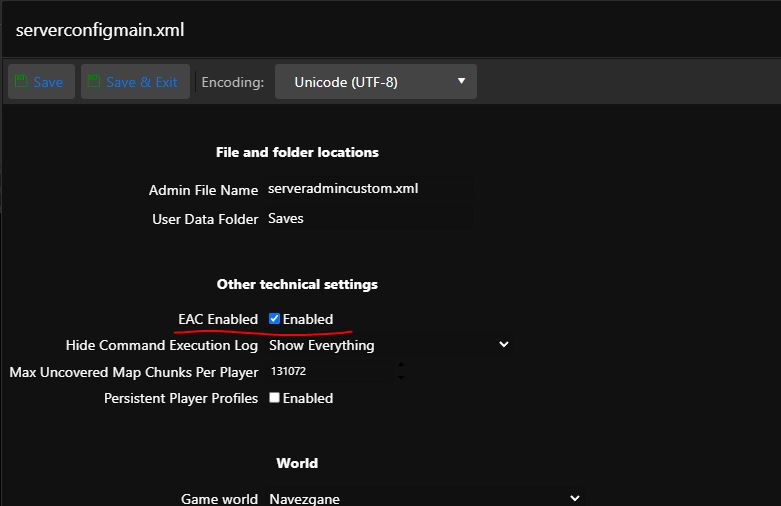
- When using the Text Editor, locate the line <property name="EACEnabled" value="true"/> <!-- Enables/Disables EasyAntiCheat --> and change the value as required.
- When using the Configuration Editor, use the option shown in the image below.