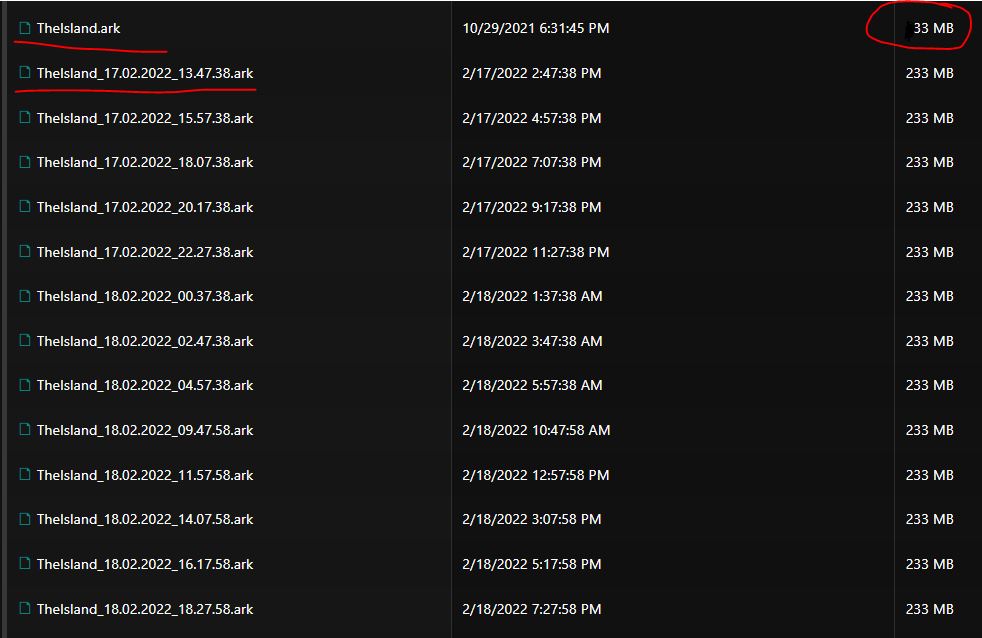
The ZeroDay bug can cause the saved world to appear reset after a server update or restart.
To restore the latest valid save, follow these steps:
- Stop the server.
- Open File Manager.
- Open ShooterGame/Saved/SavedArks.
- Locate the files MapName.ark and MapName_date_time.ark.
- Compare their sizes. Corrupted files are usually much smaller.
- ARK always loads the file without the date as the active save.
- Rename this active file so that you retain it as a backup.
- Find the newest dated file that still has the expected larger size.
- Rename it to the original filename without the date, for example MapName.ark.
- Start the server and verify that the world has been restored.