ARK Survival Evolved /// Server Backup and Restore

Backing up the server is simple and can be done by clicking the "Server Backup" button found in the main menu and confirming the launch.

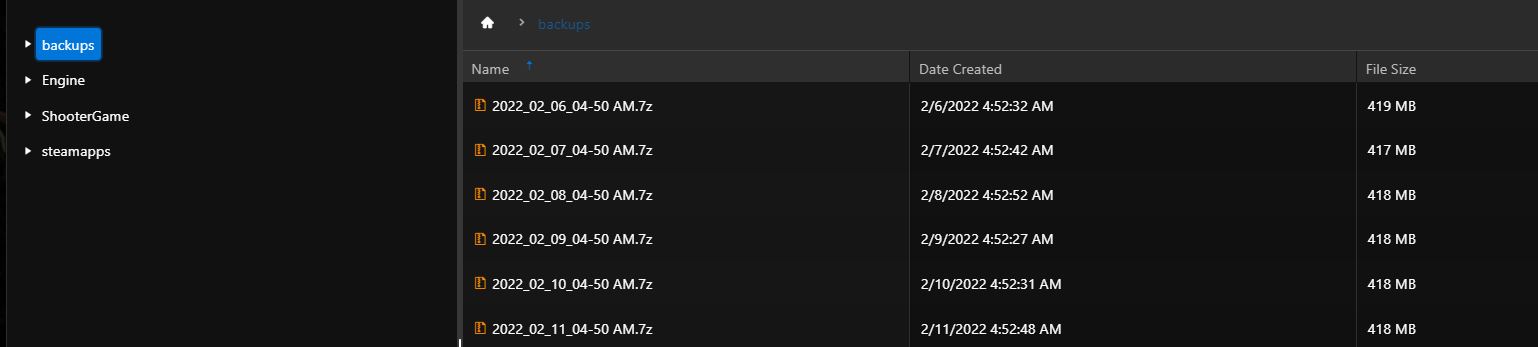
Backups can then be found in the "Backups" folder, which can be accessed using "File Manager/FileManager"

The script that performs backups always deletes backups older than 10 days

In case you want the backups to be performed automatically, for example at night, you need to schedule the task. see here: https://pay.czechchillout.cz/index.php/knowledgebase/61/9-scheduled-tasks.html


In order to restore a file or the whole backup, you need to download the backup file, extract it and upload the necessary files to the server.

UPDATE:

  1. Shut down the server
  2. Click on the "Restore Server Backup" button in the main menu
  3. In the following window, select a backup from the drop down box. The name of the backup is always the date and time it was created. If you don't see a backup in the dropdown, you probably didn't back up the server
  4. Click on "Run/Execute"
  5. When you are done, you will see a confirmation and you can turn on the server


  • server backup, restore
  • 0 Users Found This Useful
Was this answer helpful?

Related Articles

ARK Survival Evolved /// Adding an administrator

How to add administator Go to http://steamid.co/ and copy the link to the steam profile URL...

ARK Survival Evolved /// Automatic modification updates

You have multiple solutions for automatically updating modifications. A) By selecting the...

ARK Survival Evolved /// Crossplay Epic Games

Click on Commandline Manager Select the Custom Commandlines tab at the top Click on "+New"...

ARK Survival Evolved /// How do I change the map

Click Commandline Manager/Commandline Manager In the predefined, click the "Select"...

ARK Survival Evolved /// How to configure incubation/adulting/imprinting settings

First, we will explain all configuration options related to incubation / maturation / imprinting...