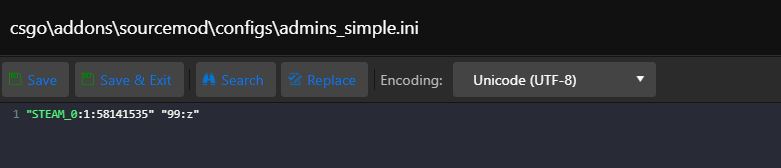
After installing SourceMod, follow these steps to add an administrator:
- Stop the server.
- Open Configuration Files.
- Click Text Editor for admins_simple.ini.
- Add the SteamID and permissions in the following format: "STEAM_0:1:58141852" "99:z". The value 99:z grants the highest permissions.
- More information is available at https://wiki.alliedmods.net/Adding_Admins_(SourceMod).
- Start the server.