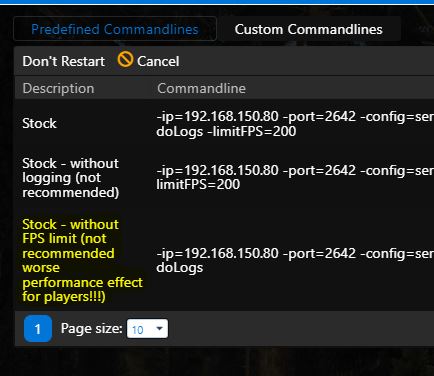
The server FPS limit is set to 200 by default, which is sufficient according to our tests. We do not recommend disabling it. Without the limit, the reported server FPS can rise to approximately 20,000, causing unnecessary processing and network activity.
If you still want to disable the limit:
- Stop the server.
- Open Commandline Manager from the main menu.
- Select the predefined command line Stock - without FPS limit.
- Click Select.
- Start the server.