Minecraft /// Installing ModPacks

  1. In the main menu of your server administration, click on "Minecraft Modpacks"
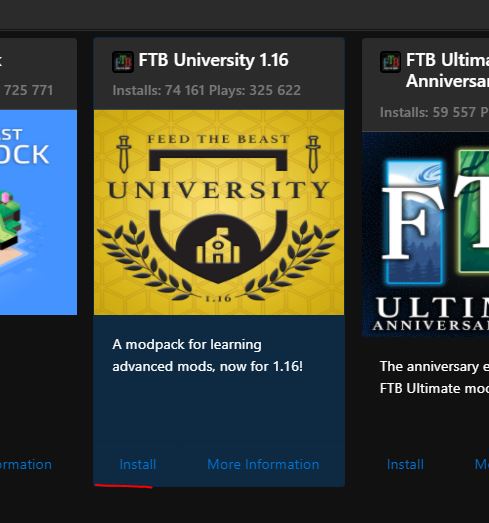
  2. Choose any modpack and click Install
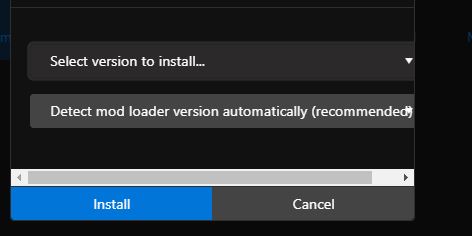
  3. In the next window, select the desired version (we recommend always selecting the first, i.e. the most up-to-date version)
  4. Click on "Install"
  5. Wait for the installation window to close completely
  6. You can start the server

If you are unable to start the server or install the modpack, contact support using the ticket

  • Minecraft Modpacks
  • 0 Users Found This Useful
Was this answer helpful?

Related Articles

Minecraft /// How do I change the server name and MOTD

In the main menu of your server administration, click on "Configuration files" For the...

Minecraft /// How to find out the current SEED and how to change it

To find the SEED of a map, follow these steps Start the server and wait until it is fully...

Minecraft /// Installing modifications

If you want to manually code the server, you can do it via File Manager, SFTP or use our...

Minecraft /// Server backup and restore

Click on the "Backup World" button in the left menu of your server administration Select the...

Minecraft /// Automatic server backups

Follow the instructions...