
Rust performs a global forced wipe on the official monthly wipe day. The prepared task can run the wipe and update automatically. You can select which data to wipe and prepare map seeds in advance.
- Open Task Scheduler.
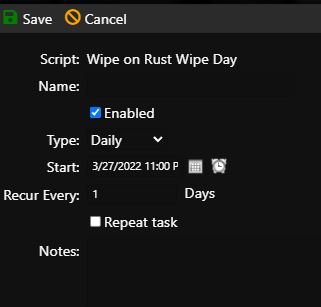
- Select Wipe on Rust Wipe Day.
- Schedule the task to run once every day. It checks whether the current date is the official wipe day and does nothing on other days.
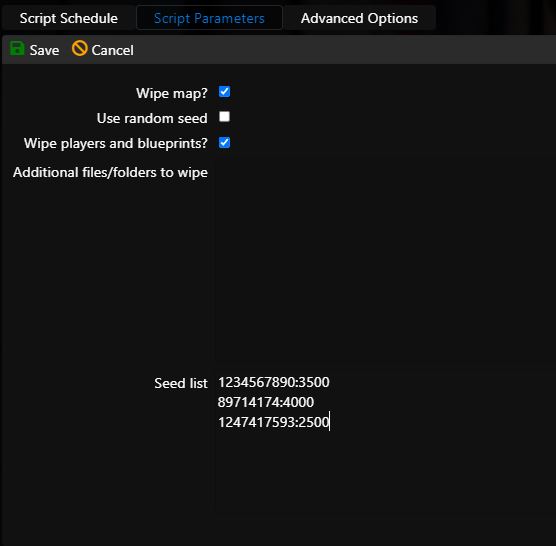
- Open the Script Parameters tab.
- Select whether to wipe the map, players, and blueprints, and whether to use a random seed.
- For planned seeds, enter one value per wipe in the format SEED:SIZE, for example 1234567890:3500. They are used in the listed order.
- Under Advanced Options, retain immediate execution.
- Save the task.
