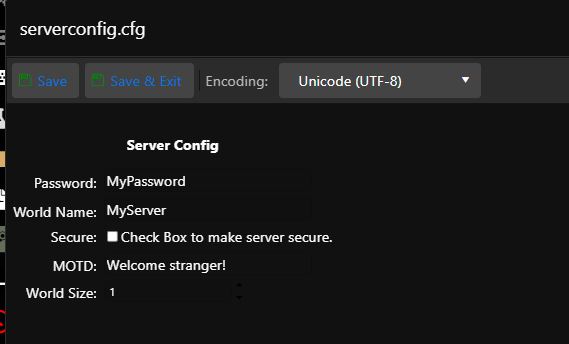
Terraria supports three world sizes: 1 = small, 2 = medium, and 3 = large.
- Stop the server.
- Back up the current world if you may need it.
- Open Configuration Files.
- Click Configuration Editor for serverconfig.cfg.
- Enter 1, 2, or 3 under World Size.
- Click Save and Close.
- Generate a new world and start the server. Changing this setting does not resize an existing world.