
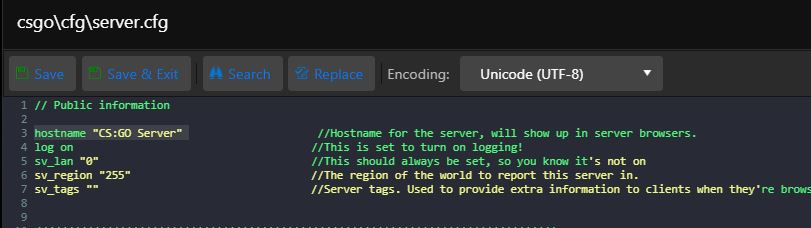
- Klikněte na "Konfigurační soubory"
- U souboru server.cfg klikněte na "Textový editor"
- Upravte řádek hostname "název serveru"
- Klikněte na "Uložit a ukončit"
Klikněte v hlavním měnu na "Správce příkazové řádky/Commandline Manager" U řádky, která...
V hlavním měnu na "Správce příkazové řádky/Commandline Manager" U řádky, která označuje...
Kvůli nedávné aktualizaci hry CS:GO musí klienti poskytnout pronajatému hernímu serveru token...
Vypněte server Klikněte v hlavním měnu na "Správce příkazové řádky/Commandline Manager" U...
Všechny tyto modifikace (Metamod:Source, SourceMod, WarMod) můžete instalovat pomocí jednoho...

Naše stránky používají cookies k zajištění jejich správné funkčnosti. Díky Vašemu souhlasu můžeme analyzovat návštěvnost, zlepšovat naše služby a poskytovat personalizovaný obsah.
Tyto cookies jsou zásadní pro funkčnost webových stránek.
Umožňuje ukládání informací pro analýzu návštěvnosti.
Umožňuje ukládání informací souvisejících s inzercí.
Nastavení souhlasu s personalizovanou inzercí.