
You can send Discord notifications when installed Steam Workshop modifications are updated. First configure automatic mod updates according to this guide, or run an update manually.
- Open your server in the management panel.
- Click More next to the Start and Stop buttons.
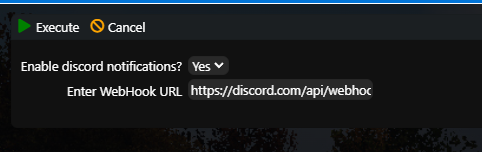
- Click Discord notifications.
- Select Yes and enter the webhook URL for the required Discord channel.
- Click Execute.
When an installed modification is updated, a notification is sent to Discord. The check interval is controlled by the scheduled automatic-update task.
A Discord notification is sent whenever the server is updated, whether automatically or manually.
How do I create a webhook?
- Open your Discord server.
- Right-click the text channel that should receive notifications and select Edit Channel.
- Open Integrations and then Webhooks.
- Create a new webhook and open it.
- Click Copy Webhook URL.
- Paste the URL into the server-management setting described above. Keep the webhook URL private.
